 Scrollify
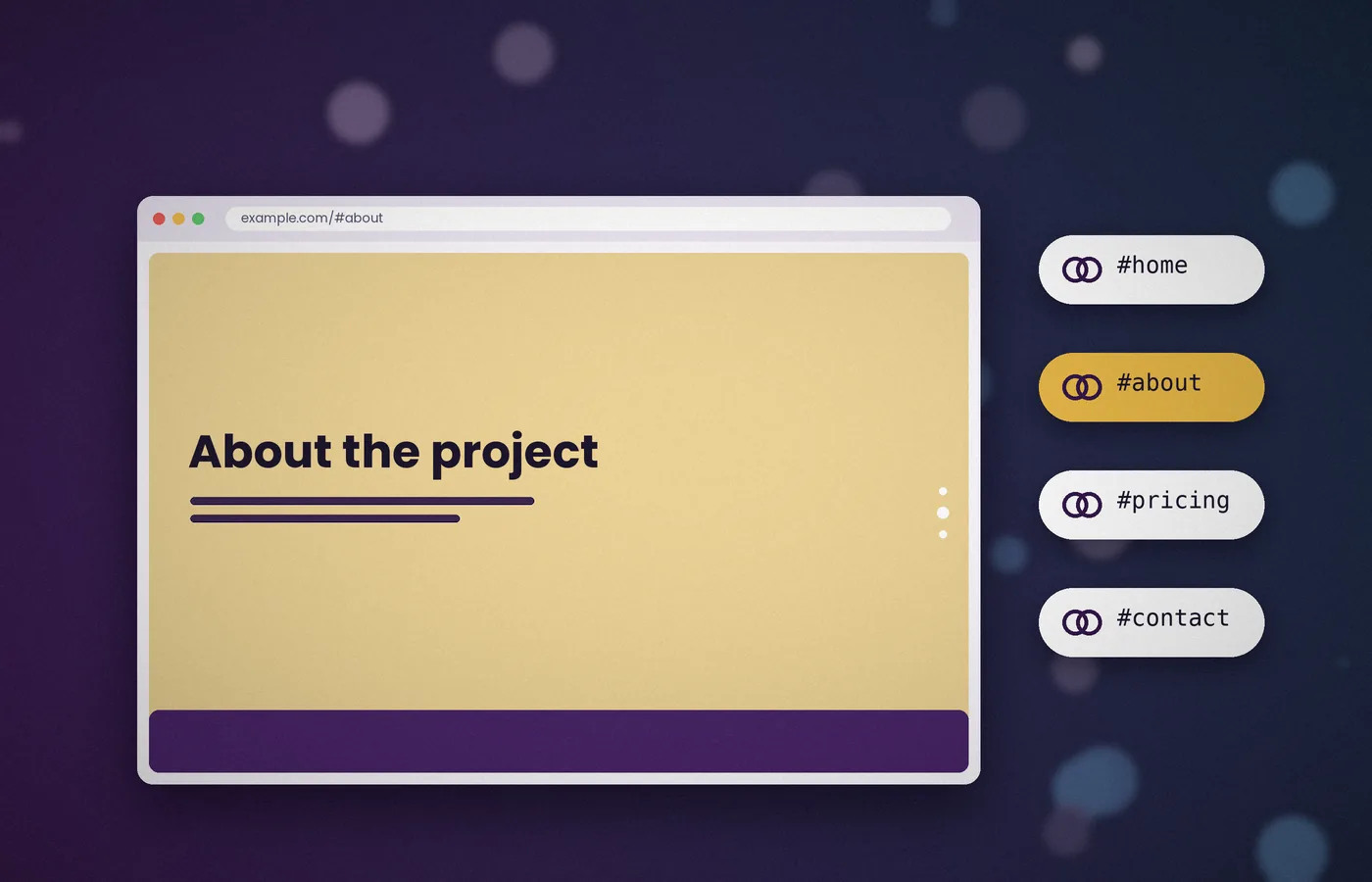
A single-page layout can feel like a closed box: visitors cannot bookmark or share a particular part of it. Scrollify solves this with section names.
Each panel receives a hash, such as #pricing, which appears in the address bar and can be linked to directly.
How section names work
Scrollify reads a data attribute on every section. By default, that attribute is data-section-name.
<div class="panel" data-section-name="intro"></div>
<div class="panel" data-section-name="pricing"></div>
<div class="panel" data-section-name="faq"></div>
As the visitor moves between panels, the plugin updates the URL to match. Opening example.com/#pricing later takes them straight to that panel.
Using a custom attribute name
If your markup already uses another attribute, point the sectionName option at it.
$.scrollify({
  section: ".panel",
  sectionName: "slug"
});
Scrollify will then read data-slug instead. Keep names short, lowercase and hyphenated for clean URLs.
Linking a menu to sections
Keep a meaningful hash in each destination link. For explicit animated menu movement, add a handler that calls the move method; test initial hash loading separately.
<a href="#pricing">Pricing</a>For buttons or custom controls, call the move method instead:
$(".to-pricing").on("click", function () {
  $.scrollify.move("#pricing");
});
Highlighting the active menu item
Visitors appreciate knowing where they are. Use the after callback to mark the current link.
$.scrollify({
  section: ".panel",
  after: function (index, sections) {
    var name = sections[index].attr("data-section-name");
    $(".menu a").removeClass("active")
      .filter('[href="#' + name + '"]').addClass("active");
  }
});
Handling shared links on page load
When a page opens with a hash already present, Scrollify moves to the matching section during initialisation. No extra code is needed.
If the hash does not match any section, the page simply opens at the first panel. It is still sensible to keep names stable, because changing them breaks any links that visitors have saved.
Turning hash updates off
Some designs, such as an embedded presentation, should keep the URL unchanged. Set updateHash to false to stop address bar changes while keeping section names available for the move method.
$.scrollify({ section: ".panel", updateHash: false });Effect on browser history
Scrollify replaces the current history entry rather than adding a new one. This means the back button leaves the page instead of stepping through every panel, which matches what most visitors expect.
Naming tips
- Use descriptive words, such as
featuresorcontact, rather than numbers. - Avoid spaces and special characters; they produce encoded, unreadable URLs.
- Do not reuse a name that already exists as an element
id, as the browser may try to jump there itself.
Treat section names as public addresses
A published section name can appear in a bookmark, a message, or a campaign link long after the page was designed. Choose names with the same care you give page paths. They should describe a durable destination rather than a temporary visual treatment such as blue-panel. Keep a short inventory of the published names and review it when the page structure changes. Moving a panel does not need to break its address, but renaming or deleting it can. Stable names separate the visitor's intent from the current layout and make later redesigns easier to carry out without discarding useful shared links.
Distinguish names, IDs, and URL fragments
A URL fragment, a data attribute, and an HTML ID can contain similar text while serving different mechanisms. Scrollify reads its configured section-name attribute to identify destinations. The browser can independently jump to an element whose ID matches the fragment. When both mechanisms target the same value, their behaviour may compete. Inspect the actual markup before assuming that a link is handled only by the plugin. Keep destination naming consistent and avoid accidental duplicates introduced by reusable components. If you design a native-anchor fallback, test that fallback explicitly rather than relying on an unexamined collision between the two systems.
Use a predictable naming convention
Short lowercase words with hyphens are easier to read, type, and maintain than labels containing spaces or punctuation. Prefer the visitor's language, such as pricing or contact, over an implementation detail. Uniqueness matters more than decorative consistency: two panels cannot provide a clear destination if they claim the same name. Check generated markup as well as hand-written panels, especially when content comes from a CMS. Keep the name separate from the visible heading so an editor can improve wording without unintentionally changing a public link. Document that distinction wherever content authors are likely to rename sections.
Build full page links correctly
A link from another page needs the destination page path as well as its fragment. A bare fragment points within the current document, so copying a homepage menu link into a guide can send the reader nowhere useful. Combine the clean page route with the section name when linking across documents. Test from the real nested route, because a relative address that works at the root may resolve differently inside a folder. The canonical page address describes the document; the fragment describes a location inside it. Keep those roles clear when updating menus, article references, and share controls across the site.
Test initial loading separately from later movement
A click after initialisation and a fresh page load with a fragment are different journeys. On fresh load, fonts, images, and the plugin itself may still be arriving while the browser attempts to position the document. Reserve media dimensions, initialise after the intended sections exist, and refresh geometry after meaningful late changes. Check the final position after the page settles rather than taking the first visible frame as proof. If your active menu is set during movement callbacks, also initialise it for the actual starting section. Otherwise the URL and content may be correct while the navigation highlights the wrong destination.
Use explicit controls when animation is required
A meaningful hash link is useful, but the exact timing and style of native fragment navigation should not be confused with an explicit plugin method call. If the design requires a particular animated transition from a custom control, wire that control to the documented move method and prevent the native action only when the enhanced path is available. Retain useful link semantics and do not intercept modified clicks unnecessarily. Test with the plugin disabled as well as enabled. A navigation label should still point somewhere understandable when the enhancement cannot run, rather than becoming a dead control that depends entirely on script timing.
Keep active navigation accessible
An active class can change colour, an underline, or a dot, but it should also convey the current location in a way that does not depend on colour alone. Use appropriate accessible state and visible focus styling on navigation controls. Update the menu at a defined lifecycle moment and remove stale state from the previous link. If the page includes interstitial destinations that are absent from the main menu, decide what the menu should show while one is active. Leaving the previous main panel highlighted may be intentional, but make that policy explicit instead of letting a failed selector determine the result.
Decide who owns browser history
Scrollify's usual history behaviour replaces the current entry during section movement rather than adding a new entry for every panel. That supports sharing the current location without necessarily turning Back into a reverse tour. If your application router also uses the fragment, both systems may try to own the same address space. Choose one owner or a deliberate integration before enabling them together. Test Back, Forward, refresh, and opening a link in a new tab. These journeys reveal history conflicts that an ordinary downward scroll cannot expose. Do not promise panel-by-panel Back behaviour unless your own integration actually implements it.
Handle missing and retired destinations
A fragment can be misspelled, copied from an older version, or refer to content that no longer exists. Keep the page useful in that situation. Avoid hiding all panels while waiting for a destination lookup that may never succeed. For a redesign, consider a small deliberate mapping from important retired names to their replacements if shared links matter to your audience. Keep that mapping understandable and remove entries only through a conscious maintenance decision. A missing fragment is normally a navigation issue within an otherwise valid document; it should not cause an unrelated page error or prevent the remaining content from being read.
Keep fragments separate from sensitive state
Section names are public navigation labels. Do not place email addresses, account identifiers, or private form values in them merely because they are convenient to read from JavaScript. A copied page address can reveal its fragment to anyone receiving the link, and page scripts can access it. Use names that describe public content rather than personal state. Similarly, do not treat a fragment as proof that a person may access a section. Any restricted content needs the application's real access controls. Navigation is a way to locate a destination, not a security boundary or a substitute for authorisation.
Review names when content is reordered
Reordering panels can improve a story without requiring name changes. Update any index-based controls and verify that named links still reach their intended content. If a section is split into two, decide which new destination best preserves the old name's meaning rather than assigning it arbitrarily.
Use a complete link test matrix
Test no fragment, a valid middle destination, the final destination, and an unknown name. Repeat from a fresh tab and from another page on the site.
Frequently asked questions
Should section names include the hash symbol?
Store the plain name in the data attribute, such as pricing. Include the hash when using a fragment link or passing a named destination to move, such as #pricing. Keep the convention consistent across markup, menu generation, and custom controls.
Can two sections share one name?
Give each destination a unique name. Duplicate names make navigation ambiguous and are especially easy to introduce through reusable components. Review the generated document rather than checking only the template that creates one panel.
Will Back visit every panel?
Do not assume so. The usual replacement of the current history entry is different from adding one entry per movement. Test your actual integration, especially if a router or custom navigation handler also changes the fragment.
Do fragments create separate canonical pages?
They identify locations within a document rather than separate server-side page paths. Use the clean document URL for its canonical link and keep fragment navigation consistent with that address. Ensure each named destination still works when the document is loaded directly.
Conclusion
Treat section names as stable public destinations and keep them distinct from accidental native anchors or router state. Test full page links, initial fragments, active navigation, and browser history together. Reliable names let a redesigned page preserve the meaning of links that readers have already saved or shared.